Most scraping tools are either a thin wrapper around an HTTP client or a full browser automation harness. DataScrapexter sits between those extremes deliberately, and the architecture reflects that choice.
The Four-Tier Service Model
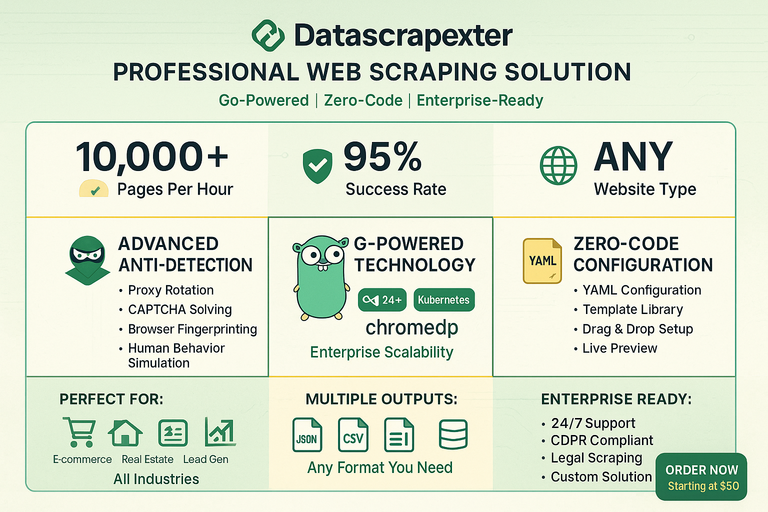
DataScrapexter is offered as a tiered service, and the tiers are not just pricing — they correspond to meaningfully different technical configurations:
- Basic: Static HTML sites. Colly handles fetch and parse; no browser involved.
- Standard: Sites with light JavaScript rendering. Colly fetches; a small post-processing step handles common SPA patterns like
<script type="application/json">data islands. - Professional: Full JS rendering required.
chromedpdrives a headless Chromium instance; Colly is not involved in the fetch path. - Enterprise: Anti-bot bypass, residential proxy rotation, CAPTCHA solving, custom extraction logic. The pipeline is the Professional tier plus a detection-bypass middleware layer.
This tiering is reflected in the codebase as a factory pattern: a FetcherFactory takes a config struct and returns a Fetcher interface. The caller never instantiates Colly or chromedp directly.
The Pipeline
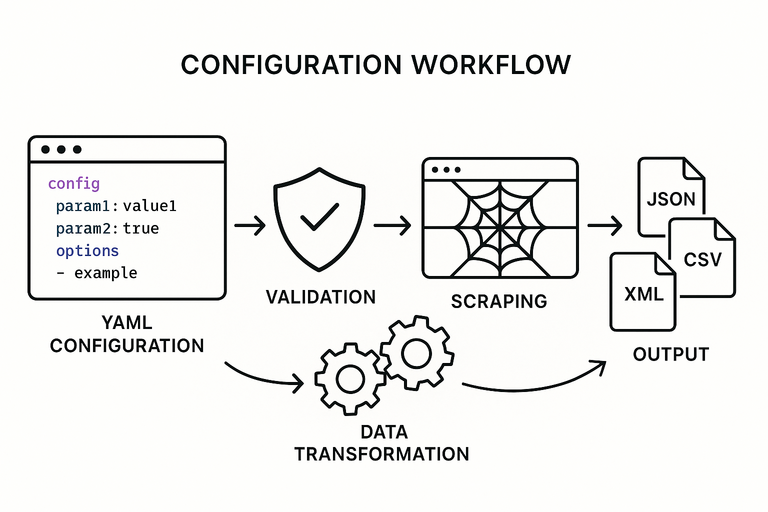
Every request flows through five stages regardless of tier:
Fetcher → Detector Bypass → Extractor → Normalizer → Formatter
Fetcher handles the HTTP lifecycle — connection pooling, retry logic, rate limiting, and cookie jar management. For Colly-backed tiers, this wraps colly.Collector with additional middleware. For chromedp tiers, it wraps a chromedp.Context with page lifecycle hooks (wait for network idle, scroll to trigger lazy loads, etc.).
Detector Bypass is a no-op in Basic/Standard tiers. In Professional and Enterprise it injects realistic browser fingerprints: User-Agent rotation, Accept-Language, TLS fingerprint normalization, and timing jitter between requests. The middleware is a chain of func(req *Request) error steps, so individual bypass techniques can be swapped or composed without touching surrounding code.
Extractor takes the raw HTML (or DOM snapshot from chromedp) and applies CSS selectors or XPath expressions defined in a scraping config file (YAML or JSON). The config schema is the same across all tiers. An extractor produces a map[string]interface{} per scraped entity.
Normalizer applies type coercion, cleaning rules (trim whitespace, strip HTML tags, parse prices/dates), and field renaming. The normalization rules live in the same config file as the selectors, under a transforms key.
Formatter serializes to the requested output: JSON, CSV, or XLSX. Each format has its own Formatter implementation behind a format.Formatter interface. Adding a new output format is a single struct implementing two methods.
Concurrency Model
DataScrapexter uses a worker pool pattern with configurable parallelism:
pool := scraper.NewWorkerPool(cfg.Workers, fetcher, extractor)
pool.Submit(urls)
results := pool.Drain()
Workers defaults to 5 for Basic, 3 for Professional (chromedp instances are heavier), and is user-configurable up to tier limits. The pool manages a semaphore channel to cap goroutines and a results channel that the formatter drains. Errors are collected separately and reported after all URLs are processed.
Why Colly and chromedp Coexist
The obvious question is why not use chromedp for everything. Two reasons:
-
Performance. A Colly-based fetch completes in ~50ms per page. A chromedp fetch, including browser launch amortization, is closer to 500ms with a warm pool. For a job scraping 10,000 product pages, that difference is roughly 11 hours.
-
Detectability. Headless browsers have well-known fingerprints. Running chromedp against a site that does not need JS rendering increases detection risk without benefit.
The factory pattern means the calling code is identical regardless of which fetcher is active. Switching a site from Colly to chromedp is a one-line config change.
Config-Driven Design
The entire extraction logic is in YAML, not code. A client can change selectors, add fields, or adjust normalization rules without a deployment. This was a deliberate design decision: the framework is a runtime that interprets scraping specs, not a collection of site-specific scrapers baked into the binary.
site: example-shop
base_url: https://example.com/products
pagination:
  selector: "a.next-page"
  max_pages: 50
fields:
  - name: title
    selector: "h1.product-title"
  - name: price
    selector: "span.price"
    transform: parse_price
  - name: sku
    selector: "[data-sku]"
    attribute: data-sku
output:
  format: csv
  path: ./output/products.csv
This approach keeps the core framework stable while client-specific logic stays in version-controlled config files rather than forked code.